


ChatBox: AI Chat Bot Assistant
4.31.31K Reviews
App Specs
- Version
- 1.108.0
- Updated On
- License
- Free
- Downloads
- 5,000,000+
- Developer
- FLORATE LIMITED
- Categories
- Productivity
- Platform
- Android, iOS
Screenshots
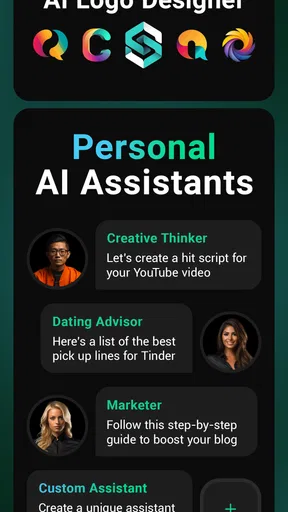
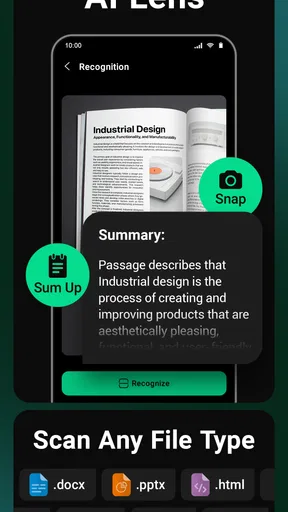
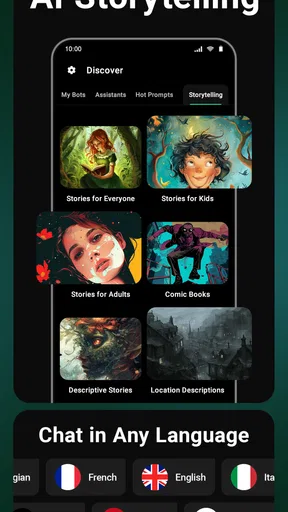
 Analysis by AppCompare
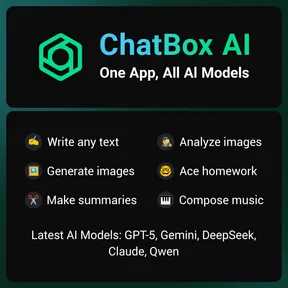
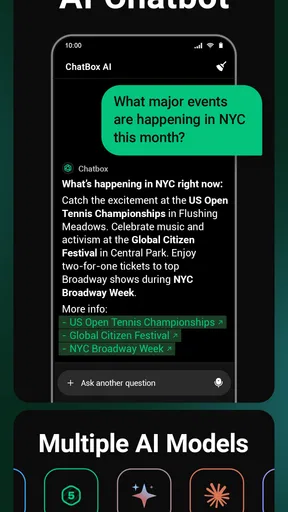
I’m cautious about trusting an AI app with everyday questions, so I look beyond how friendly its replies feel. ChatBox: AI Chat Bot Assistant is a free productivity app from FLORATE LIMITED, and its appeal is the convenience of bringing AI chat and creative tools together in one place. It has a 4.5 average from around 95,000 ratings and has been installed over 5 million times. Those figures suggest broad interest, but they don’t tell me whether it suits every task or what information I should share, so I’d treat it as a useful helper rather than an authority.
What a single AI workspace is good for
The app is designed for people who want to try different kinds of AI assistance without making each request in a separate tool. That can be handy when a task shifts from asking for an explanation to drafting a message or exploring an image idea. Instead of jumping between a general chatbot and separate writing or image apps, I can keep those experiments in one place. The trade-off is that a combined workspace may not offer the depth or focused workflow of a specialist tool.
I find this setup most useful for low-stakes tasks where a first draft or fresh angle is enough: turning rough notes into a polite email, brainstorming a few names, or asking for a plain-language explanation of an unfamiliar term. I still review the result, especially if accuracy, tone, or a real-world decision matters. AI can sound certain while missing context, so a smooth conversation is not the same as a verified answer.
Small workflows that make the assistant more useful
A practical way to get better results is to give the app the audience, purpose, and limits in the first request. For example, when asking for help with a work message, I would say who will read it, what I need them to do, and whether I want a warm or direct tone. Then I can ask for a shorter version or point out a phrase that feels too stiff. That simple back-and-forth is more reliable than expecting one vague prompt to produce a finished piece.
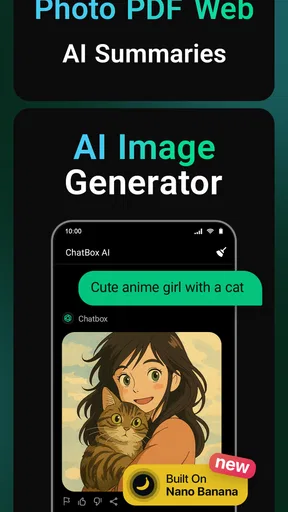
For an image idea, I’d separate the concept from the details: state the subject and intended mood first, then refine the setting, colors, or composition. This makes it easier to judge what changed between attempts and avoids treating the first result as final. I’d also avoid entering personal details simply to make a prompt more vivid; a fictional example usually works just as well for testing a style or layout.
Another useful habit is to treat a response as a working note, not a permanent record. If I ask for a checklist or a set of options, I can copy the parts I need into the place where I actually manage that work, then check names, dates, and instructions before acting. This is especially important for reminders or schedule-related requests: a chatbot response should not be assumed to create a dependable calendar entry unless the app clearly shows that it has done so.
Who should try it, and who may prefer another tool
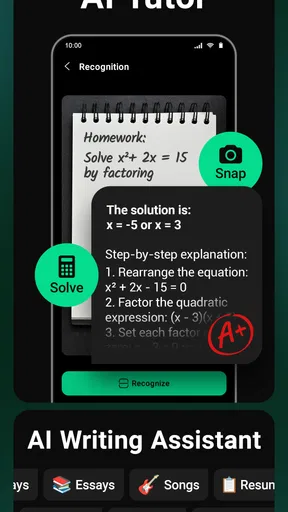
I’d recommend trying the app if you enjoy experimenting with AI and want a convenient place for quick writing, questions, and creative prompts. It may suit students looking for a starting explanation, busy people polishing everyday messages, or anyone who likes testing different ways to phrase an idea. The age rating is Everyone, though younger users should still have an adult’s guidance when sharing information or evaluating generated answers.
Worth Reading Before You Choose

EA SPORTS FC Mobile 26 Is a Bigger Football Game, but It Takes Time

Flipboard Shows What News Apps Must Do Beyond the Feed

Switching to Android Auto Means Rethinking Your Driving Routine

Google Calendar Makes a Crowded Week Easier to Manage

Ludo King Makes the Most of the Minutes Between Plans

Baby Panda World Brings Quick Play to Modern Phones, but Its Game Library Feels Busy
If you already rely on a dedicated writing assistant, image editor, or research service, compare the actual results before moving your routine. Specialist products can be a better fit when you need a particular editing workflow, careful source checking, or precise control over a creative output. Likewise, people who want a traditional voice assistant for hands-free device control should not assume an AI chat app will replace those functions. ChatBox is most compelling as a flexible place to ask and draft, not as a guaranteed substitute for every focused app.
Trust, choices, and sensitive requests
Any conversational AI can invite oversharing because typing a question feels informal. I’d keep prompts free of passwords, financial details, private health information, and other identifying material unless I have personally reviewed the app’s current privacy information and am comfortable with its terms. For a sensitive situation, I can describe the problem in general terms or use a made-up example; the answer may still help without exposing someone’s identity.
Before using an AI service regularly, I make a point of checking the choices actually visible in the app, including any account settings, privacy controls, and information presented about how requests are handled. I don’t assume that a conversational tone means a request is confidential, nor that a particular control exists until I can see it. If a setting or explanation is unclear, that uncertainty is a good reason to keep the request generic rather than disclose more.
The app is free to download, but it includes in-app purchases ranging from $4.99 to $99.99 per item. I’d check what an offered purchase covers and whether it fits my expected use before paying; a free starting point doesn’t mean every capability or level of use will necessarily cost nothing. Its Everyone content rating describes the store’s age classification, not a promise that every generated answer is suitable or accurate for every situation.
For a low-risk everyday test, I might use it while preparing dinner: ask for a few meal ideas from ingredients I already have, request a simple sequence of steps, and then use my own judgment about timing and food safety. That reveals whether the assistant’s style works for me without requiring personal data or trusting it with a consequential decision. The same approach works for drafting a friendly note or finding a new way to explain a concept: start with a small task, inspect the response, and decide whether the convenience is worth keeping in my routine.
ChatBox is currently at version 1.88.1 and requires Android 10 or later. I’d check that requirement before trying to install it on an older device. If I were choosing between it and a single-purpose alternative, I’d ask whether I value having several AI uses gathered together more than a specialist’s narrower, potentially more tailored workflow. That’s the central trade-off: convenience across different kinds of requests versus the focus and controls of a tool built for one job.
The app’s 1.3K reviews add another perspective beyond its rating, but I would read recent user feedback for practical patterns rather than treating any one comment as decisive. In particular, I’d look for remarks relevant to the tasks I care about, such as writing or image creation, and compare them with my own short trial. AI results can vary with the prompt, so one person’s experience may not predict mine.
Overall, I see this as an approachable option for curious users who want to try AI assistance across everyday tasks, provided they keep sensible boundaries around sensitive information and verify anything important. I would skip it if I needed guaranteed factual research, strict privacy assurances I had not personally checked, or a specialized workflow that another app handles better. Used for drafts, brainstorming, and low-stakes exploration, it may earn a place on my phone; used as an unquestioned source of truth, it would not.
Ever found yourself in need of a quick answer or a helpful conversation without the hassle of picking up a call? Welcome to the world of ChatBox: AI Chat Bot Assistant. This nifty app slides right into your phone, promising to be your on-the-go assistant, ready to chat, assist, and even entertain you with just a tap.
Getting Started with ChatBox
Installing ChatBox is a breeze. Just head to your app store, type in the name, and you’ll have it downloaded in no time. The interface is sleek and user-friendly, which is a big plus for those of us who aren’t exactly tech-savvy. Once you open the app, you’re greeted with a simple setup guide that takes no more than a few minutes to complete.
The Features at a Glance
Alright, let’s dive into the features. The first thing you’ll notice is how effortlessly ChatBox handles a variety of tasks. Whether you’re looking to set reminders, get news updates, or just need a friendly chat, this app has got you covered. The conversational style is impressively natural, making it feel like you’re chatting with a buddy rather than a bot.
One standout feature is its ability to learn from your interactions. The more you use it, the better it understands your preferences and needs. This means over time, ChatBox becomes more tailored to you, which is pretty neat.
Performance and Usability
Let’s talk about performance. In my experience, the app runs smoothly without any noticeable lag. The voice recognition is spot-on, even when you’re speaking in a noisy environment. It’s like having your own personal assistant who’s always ready to help out, no matter the situation.
Navigating through the app is a piece of cake. The menus are intuitive, and everything is where you’d expect it to be. Whether you’re a tech guru or a complete newbie, you’ll find the layout accommodating. Plus, it doesn’t hog your phone’s resources, so you won’t have to worry about your battery draining faster than usual.
Privacy and Security
In today’s digital age, privacy is a big deal, right? Well, ChatBox seems to take this seriously. The app provides clear information on data usage and offers options to control what information you’re comfortable sharing. It’s reassuring to know that your data isn’t being mishandled, especially when using an app that handles your personal requests.
Real-Life Applications
So, how does ChatBox fit into daily life? For me, it’s been a game changer. From managing my schedule to finding quick answers while cooking, it’s like having an extra set of hands. Need a joke to lighten the mood? Ask away! Want to know the weather before heading out? It’s got you covered. It’s not just about utility; it’s also about adding a sprinkle of fun to mundane tasks.
Final Thoughts
In conclusion, ChatBox: AI Chat Bot Assistant is more than just an app; it’s a reliable companion. Whether you’re looking to boost productivity or simply want a friendly chat, it delivers on its promise. While no app is perfect, this one comes quite close for what it aims to provide. It’s definitely worth checking out if you’re in the market for a digital assistant that feels personal and incredibly helpful.
So, go ahead, give it a whirl! You might just find it becomes an indispensable part of your daily routine.
Pros
- Intuitive interface that's easy to navigate.
- Quick response times for user queries.
- Supports multiple languages efficiently.
- Offers personalized recommendations based on usage.
- Lightweight app with minimal battery usage.
Cons
- Limited free features; many require a subscription.
- Occasional inaccuracies in complex queries.
- Requires internet connection to function.
- Lacks integration with some third-party apps.
- No voice input feature available currently.
FAQs for ChatBox: AI Chat Bot Assistant
What platforms is ChatBox: AI Chat Bot Assistant available on?
ChatBox: AI Chat Bot Assistant is available for both Android and iOS platforms. You can download it from the Google Play Store for Android devices and the Apple App Store for iOS devices. Ensure your device meets the required specifications for optimal performance.
How does ChatBox ensure user data privacy?
ChatBox takes user privacy seriously by implementing robust data encryption and privacy policies. The app does not store personal conversation data on its servers, ensuring that user interactions remain confidential. It’s recommended to review the privacy policy on their website for detailed information.
Can ChatBox assist with multiple languages?
Yes, ChatBox supports multiple languages, making it a versatile tool for users worldwide. You can switch between languages in the app’s settings. The AI is designed to understand and respond accurately, providing assistance in the language you choose.
Does ChatBox require an internet connection to function?
ChatBox requires an active internet connection to utilize its full capabilities. The AI relies on cloud-based processing to deliver accurate and timely responses. While some basic features might work offline, the app is best used with a stable internet connection for optimal performance.
Are there any subscription fees associated with ChatBox?
ChatBox offers a free version with basic features, but to unlock advanced functionalities and remove ads, a subscription fee is required. Various plans are available to suit different user needs, and you can find detailed pricing on their official website or within the app.


